Users
The Users page can be accessed via the Server Admin > Users menu item by users with Admin role. This page allows administrators to add, edit, and delete user accounts.
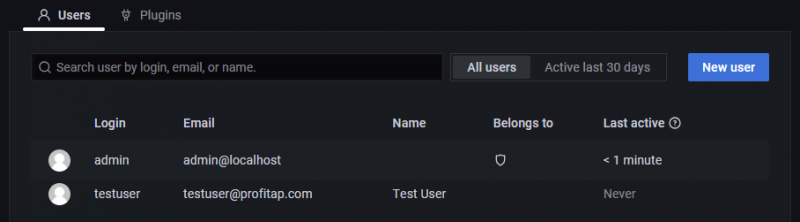
To add a user account, click the New user button, fill in the fields, and click the Create user button.
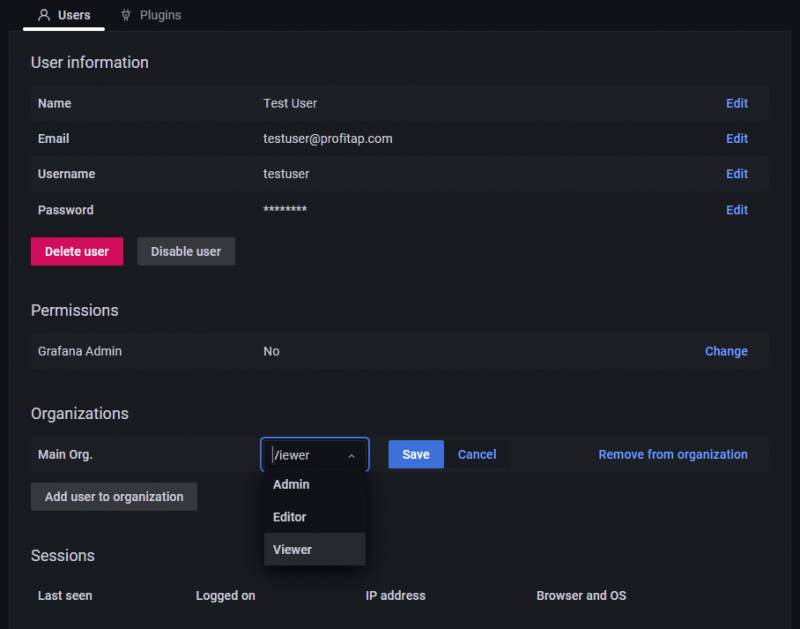
To view a user account, click the account in the list. In this view, it is possible to edit, delete, or disable/enable the selected user account. Click Change role to change the account's privileges. Depending on the selected role, the user has the following rights:
- Admin: full access;
- Editor/Viewer: view the IOTA dashboards only.
Note: For security, IOTA provides the following functions:
- Masking the password input fields by asterisks;
- Storing the passwords as SHA-256 hashes;
- Long passwords and passphrases, including spaces and all printable characters.