Table of Contents
Dashboards
Dashboards use metadata retrieved from connected IOTA devices. This metadata is stored on the registered IOTA devices, with IOTA CM using the IOTA devices as distributed storage and dynamically fetching metadata necessary for analysis. This keeps IOTA devices self-sufficient while minimizing the amount of data exchanged between IOTA CM and registered IOTA devices.
Click the IOTA logo or Dashboards menu item to navigate to the home dashboard. Use the Navigate drop-down menu at the upper right corner of the screen to navigate between dashboards.
On some dashboards, display filters can be applied at the upper left corner of the screen.
Multisite - IOTA Probes
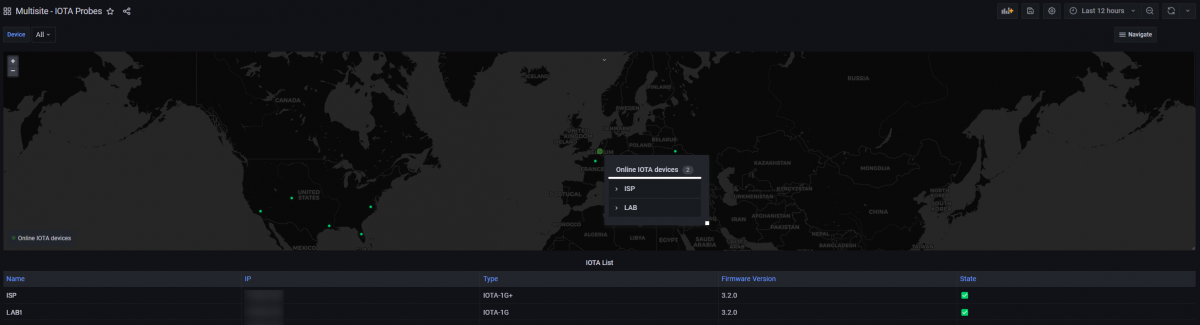
This dashboard gives an overview of the registered devices and their status. The geolocalization map displays the devices' locations, provided they have internet access.
Multisite - Application Overview
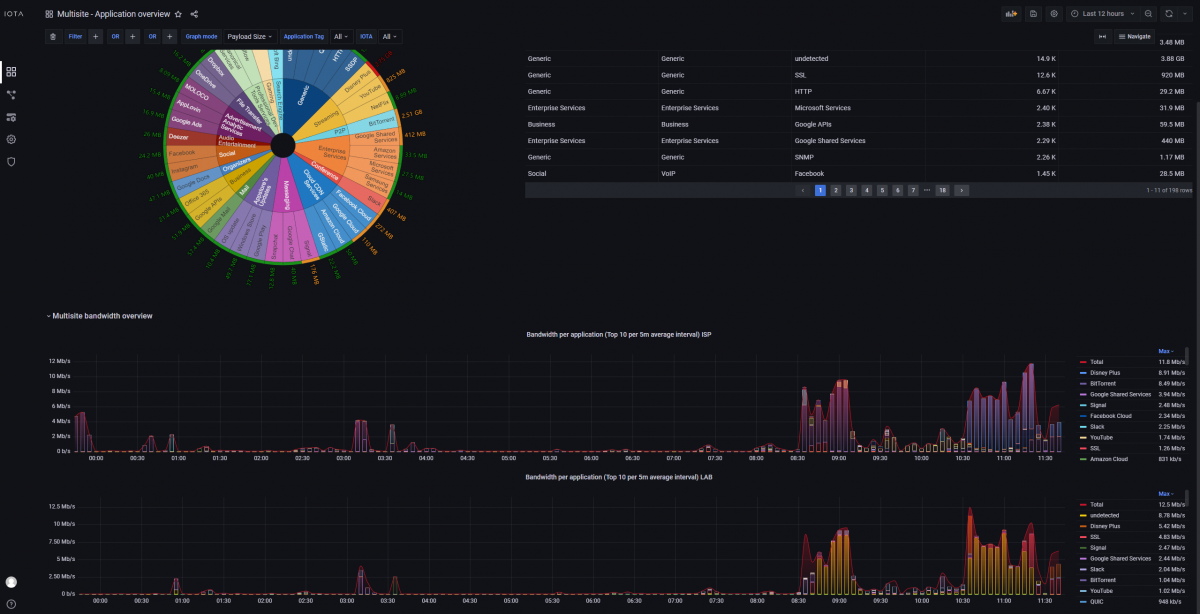
The Application Overview dashboard provides in-depth information about the application protocols detected in the analyzed traffic. On IOTA CM, it is possible to select multiple IOTA devices in the IOTA drop-down filter and compare the bandwidth usage over time between the devices. For each selected device, a chart will appear in the bottom section of the dashboard.
Multisite - Latency
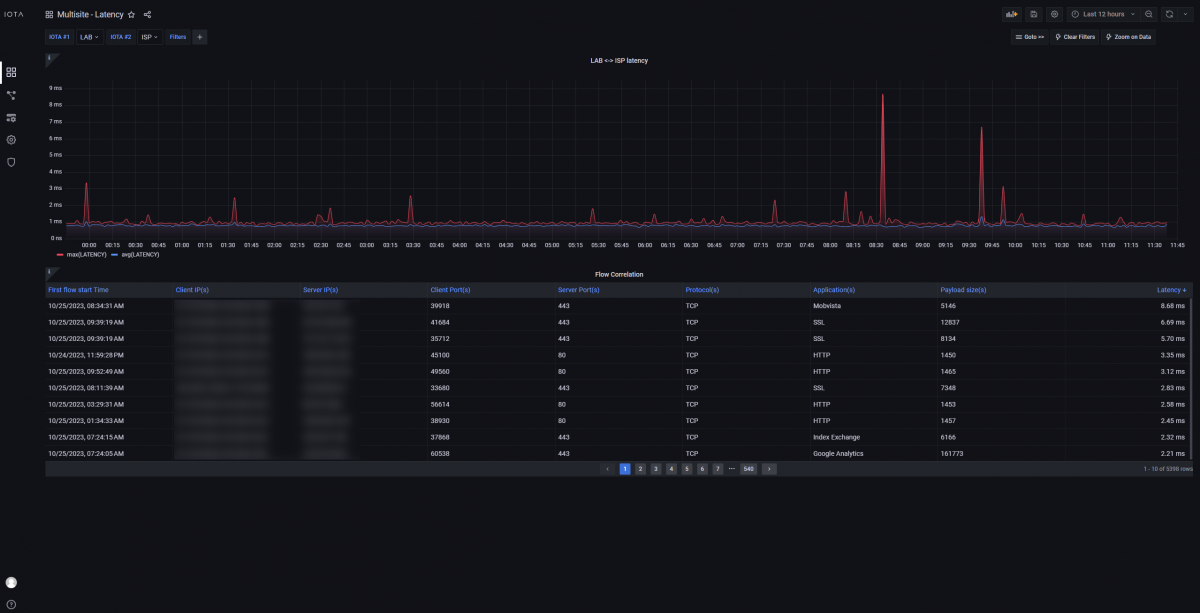
The Latency dashboard allows you to perform multi-segment traffic analysis to compare the RTT latency measured for TCP flows in two capture points. IOTA CM is capable of correlating flows captured in different points by looking at their metadata information. When the same flow is identified in the two selected capture points, the user is able to see the two-way latency measured on the difference of RTT. The dashboard provides the average and peak latency measured over time between the two devices, highlighting if any significant change of latency or behavior happens between the two monitored segments of the network.
Overview
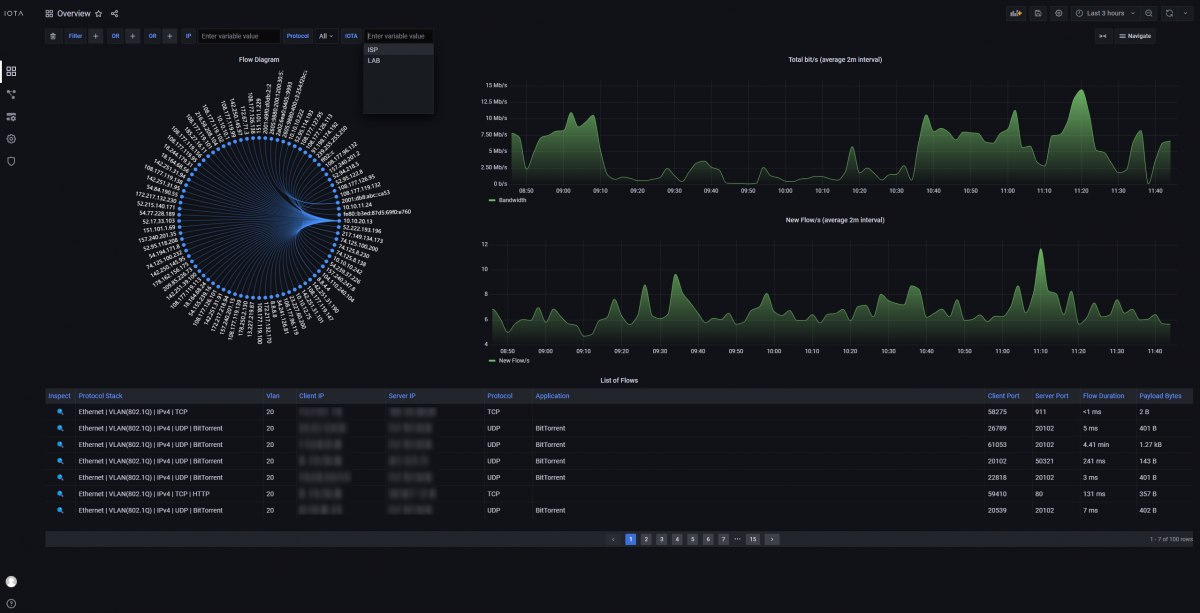
The Overview dashboard displays the metadata exposed from the different IOTA devices registered on IOTA CM from a single page, without the need to access each device's GUI page. Users can select which IOTA to query using the IOTA filter drop-down option in the upper-left section of the dashboard.